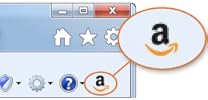
The holidays are quickly approaching! If you need an easy way to share your child's gift "Wish List" with family and friends check-out the Amazon Wish List feature. We LOVE using Amazon to create our Child's "Wish List" with Amazon products and items from *ANY* website using the "Universal button" (Step 3 below). After we create the list we can easily share the list with our family and friends via email or Facebook. Its a GREAT tool to use to give those loved ones ideas for your child and what level of developmental toy they would enjoy. Check-out the steps below to get started.
- Log into http://www.amazon.com/
- Click the "Wish List" button to the right of the top menu to get started.
- Follow these instructions to add the "Amazon Widget" to your toolbar in order to add an item from *ANY* website to your Amazon Wish List. (Click the yellow "Install in Internet Explorer" button then click "Run" and follow the next directions accepting any pop-up.
If you do not see the Wish List extension in your browser, get help here and/or provide feedback on your install experience.